AI Headshot Features

Get professional AI headshots for LinkedIn in 2 minutes.

Transform everyday selfies into polished business portraits. Perfect for women, founders, and professionals who need a LinkedIn-ready profile photo without booking a studio session.

No credit card required. Free to try.

5-star resultsBuilt for creators, founders, job seekers, and growing teams.
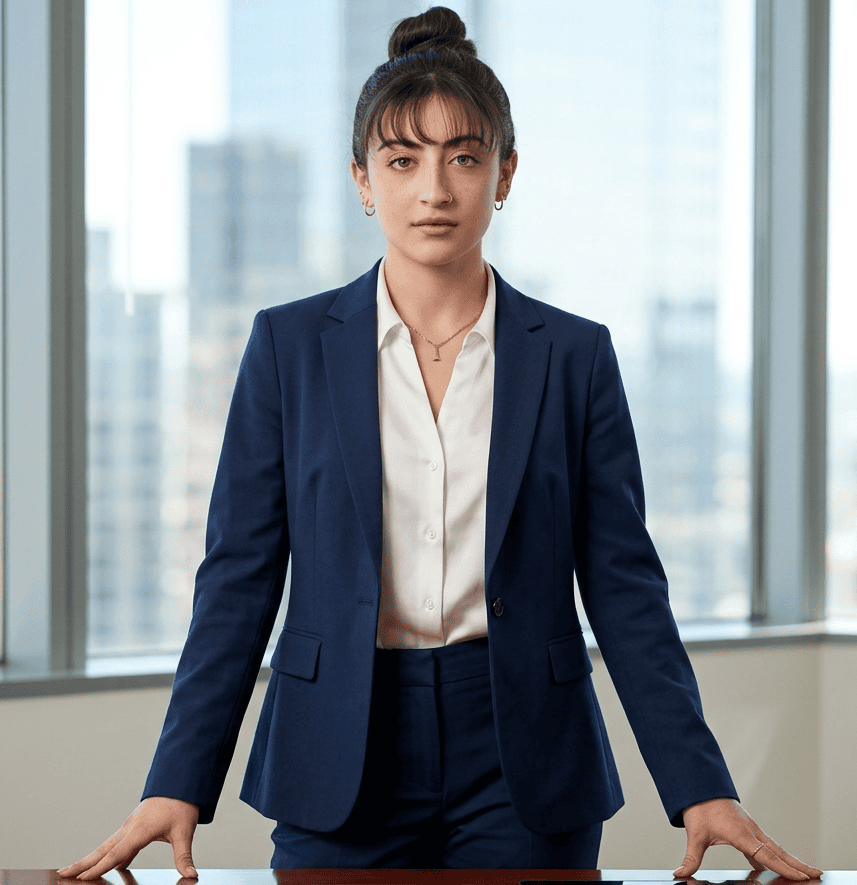
Professional AI headshot example for female executive on LinkedIn

LinkedIn and Resume Headshots

NanoLook AI turns everyday selfies into clean professional headshots with balanced facial lighting, realistic wardrobe styling, neutral backgrounds, and a confident crop that works well for LinkedIn, resumes, company bios, and speaker pages.

Read the LinkedIn photo guide

Professional Headshots for Women

Our AI headshot workflow is tuned for realistic lighting on skin tone, natural makeup preservation, controlled shine, hairline detail, and polished wardrobe choices. The goal is a professional image that looks credible, current, and still recognizably like the person in the source photo.

Browse headshot examples

Style Engines for Different Use Cases

Choose a purpose-built professional look for LinkedIn, premium personal branding, career growth, creative work, or public-facing profiles. Each look controls backdrop, lens feel, contrast, clothing cues, and composition so the final image fits where it will be used.

Explore the AI headshot generator

Female professional headshot guide

What to wear for professional headshots: a guide for women

For female professional headshots, wear a well-fitting, role-appropriate outfit in a solid, camera-friendly color. The goal is not a new persona—it is a polished version of how you want to be recognized at work. These professional headshot outfit ideas help you prepare photos that look credible on LinkedIn, company sites, and speaker profiles.

Start with solid, camera-friendly colors

For female professional headshots, choose a solid color that suits your skin tone and the industry you work in. Navy, charcoal, deep green, burgundy, and soft neutrals are dependable choices. Avoid tiny patterns, logos, and very bright white near the face.

Match the formality of your role

The best outfit for professional headshots should look one step more polished than your everyday workwear. A blazer, structured top, blouse, knit, or simple dress works well. Choose business formal for corporate headshots and smart business casual for creative roles.

Keep hair, makeup, and accessories recognizably you

Use the version of hair and makeup that makes you feel confident on an important workday. Light-reflecting makeup, large statement jewelry, or a completely new hairstyle can distract in a small profile image; clean, familiar styling keeps the focus on you.

Choose a neckline and fit that frame your face

A well-fitting crew, V-neck, collared shirt, or blouse creates a clear line beneath the face. Check that your headshot attire is comfortable at the shoulders and neckline, because a relaxed posture reads more naturally than an outfit that feels restrictive.

AI Headshots vs. Photography

NanoLook AI vs. traditional photography

Is an AI headshot better than a professional photographer? For most LinkedIn, resume, company bio, and everyday business profile needs, AI headshots are better when speed, cost, and style variety matter most. A traditional photographer is still the stronger choice for large brand campaigns, custom studio direction, and shoots that need a physical location or full-body composition.

NanoLook AI is built for the practical middle ground: a credible, professional portrait generated in minutes that looks polished enough for high-trust digital profiles. It is especially useful when you want to compare a few professional headshot outfits before committing to a studio session.

Factor
NanoLook AI
Traditional photographer
Speed
Generate polished business portraits in minutes after uploading everyday selfies.
Requires booking, travel, shooting time, retouching, delivery, and rescheduling if the first session misses the mark.
Cost
Designed for affordable profile updates, team refreshes, and multiple style experiments.
Often includes studio fees, photographer time, editing, wardrobe preparation, and per-image retouching costs.
Creative range
Lets users create LinkedIn Executive, Quiet Luxury, Modern Professional, Creative Professional, and Social & Portfolio Ready headshots from the same upload set.
Usually captures one location, one wardrobe set, and one lighting direction per session.
Best use case
Ideal for LinkedIn, resumes, founder bios, company directories, and people who need credible profile images quickly.
Still valuable for editorial campaigns, complex brand shoots, controlled studio art direction, and high-touch commercial photography.
The practical answer

AI headshots are not a universal replacement for every photographer. They are a better fit when the goal is a fast, affordable, professional profile image with several usable options. Traditional photography is better when a company needs a custom art direction, in-person coaching, location control, or a campaign asset beyond a head-and-shoulders portrait.

What makes a strong AI professional headshot?

A good professional headshot should look intentional without looking artificial. NanoLook AI avoids exaggerated retouching and focuses on credible polish: even lighting, clear eyes, natural skin texture, believable wardrobe fit, and a crop that reads well at small avatar sizes.

  • Face identity consistency from uploaded selfies
  • Professional lighting and background cleanup
  • High-resolution portrait outputs for web profiles
  • Privacy-first upload and generation flow
  • Examples and alt text built for image search discovery

Ready to upgrade your professional image?

Get a polished, studio-quality AI headshot in less than 5 minutes. Use it for LinkedIn, resumes, company bios, and founder profiles.

No credit card required. Free to try.

Professional Headshots for Women & Teams | NanoLook AI | NanoLook AI