01
Professional business photos for resumes
Create professional business photos for your resume.
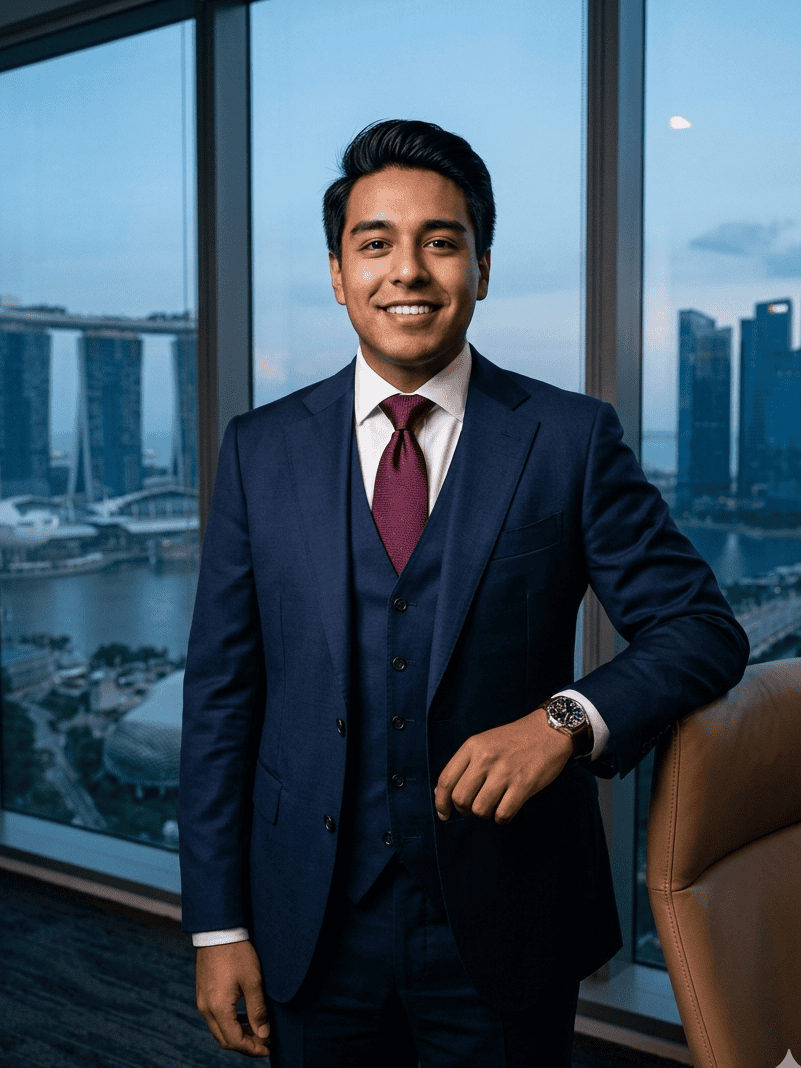
Turn a clear selfie into a realistic business profile photo for your resume, job application, LinkedIn profile, or portfolio. Choose a polished professional look that still resembles you and is appropriate for the role and market where you are applying.
Free to try. No credit card required.
5-star profile-photo workflow
Built for candidates, students, and professionals who need professional business pictures for resumes, job applications, and LinkedIn without booking a studio.
- Professional business photos that still look like you
- Resume-ready framing for applications where a photo is appropriate
- Clean business profile picture options for LinkedIn and portfolios
02
Choose professional business styling, neutral lighting, and a clean background for your target role.
03
Generate a resume-ready photo, then use the image only on applications and profiles where a photo is appropriate.
Guide
When should you use professional business photos on a resume?
Resume photo expectations depend on country, industry, and employer norms. In the United States and United Kingdom, resumes often avoid photos. In many European, Asian, Middle Eastern, and Latin American markets, a professional business photo may still be common or expected.
When a resume photo is appropriate, keep it recent, realistic, and simple. A clear face, balanced lighting, role-appropriate clothing, and a neutral background support credibility without distracting from your experience and qualifications.
A clear source photo makes an AI business profile photo more natural. Use soft light, keep your face fully visible, avoid busy backgrounds, and choose a recent selfie with an approachable expression.
NanoLook helps create professional business photos for the places where a resume or job application image makes sense, while giving you a consistent option for LinkedIn and portfolio pages.
Comparison
Online resume photo maker vs. traditional portrait studio
A traditional studio can be useful for a full personal branding shoot. For a job-ready CV photo, an online resume photo maker is faster, easier, and more affordable.
Feature
NanoLook AI
Traditional studio session
Average cost
Free to try, with paid credits for high-resolution outputs.
$150 to $350 for a portrait session and editing.
Turnaround time
Create a resume-ready photo in minutes.
Editing and delivery often take 3 to 7 days.
Background options
Try office, neutral studio, and clean profile-photo looks.
Limited by backdrop availability during the shoot.
Convenience
100% online from a phone selfie.
Requires booking, travel, and a scheduled session.
Who needs professional business photos for a resume?
International CVs
Prepare a professional profile photo for markets and roles where CV photos are expected.
Learn how to take a better source photoApplication portals
Use a clean headshot for candidate profiles, talent marketplaces, and recruiting platforms.
Portfolio pages
Match your resume, personal website, and LinkedIn profile with a consistent professional image.
Proof
Professionals use NanoLook AI when they need a better headshot today.
“I was applying for roles in Singapore where a CV photo is recommended. NanoLook turned a casual photo into a clean executive headshot.”
“As a fresh graduate, I didn't have the budget for a photoshoot. This resume photo maker gave me a sharp corporate portrait in minutes.”
FAQ
Common questions
Should every resume include a photo?
No. Resume photo norms vary by country and industry. Use a photo only where it is expected, appropriate, or requested by the application process.
What makes a good resume photo?
A good resume photo is recent, realistic, well-lit, and professionally cropped. It should look credible without heavy filters or distracting backgrounds.
Can I use the same photo for my resume and LinkedIn?
Yes. A clean professional headshot can work across resumes, LinkedIn, company bios, and portfolio pages when it is realistic and recognizable.
Is a resume photo maker appropriate for every country?
No. Resume photo norms vary by country. Use a CV photo only where it is expected, appropriate, or requested by the employer or application platform.
What kind of selfie should I upload?
Upload a clear, recent selfie with your face visible, soft lighting, and minimal background clutter. Avoid sunglasses, heavy filters, hats, and group photos.
Explore more resume photo tools
Ready to create a job-ready resume photo?
Start with one selfie and generate a polished CV photo for applications, international resumes, candidate portals, and professional profiles.
Free to try. No credit card required.